I was the original designer of Grafana’s real user monitoring, from a hackathon project called Kowalski to GA. The goal: stand out next to Datadog and New Relic by making frontend data easy to act on.
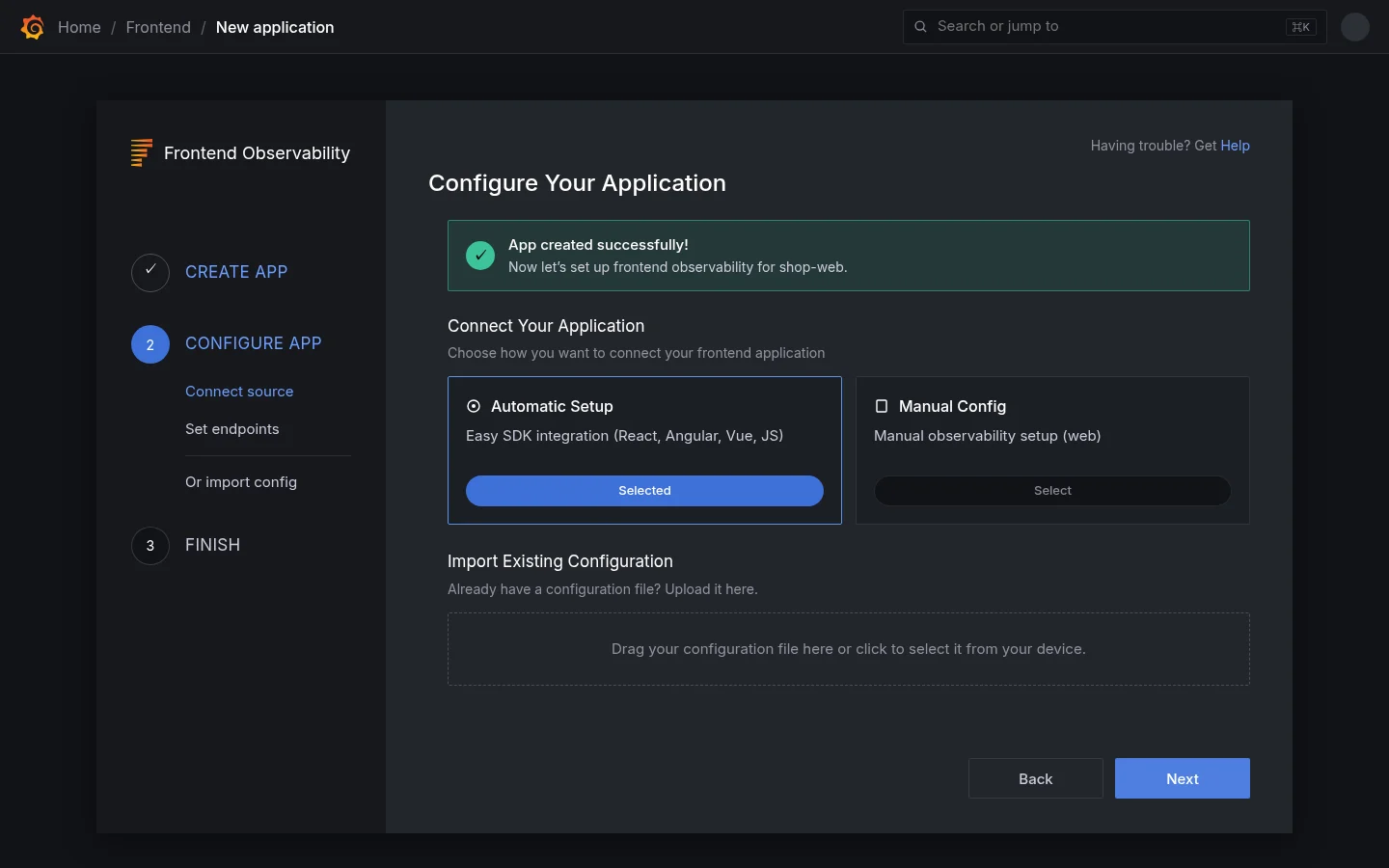
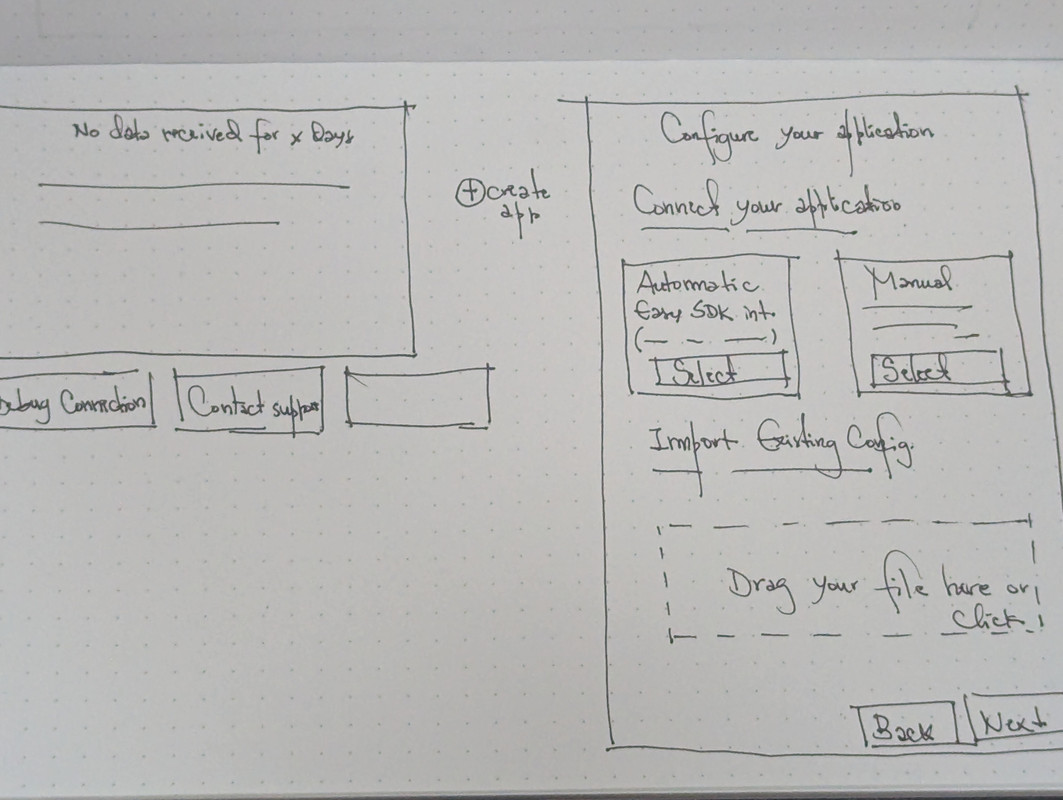
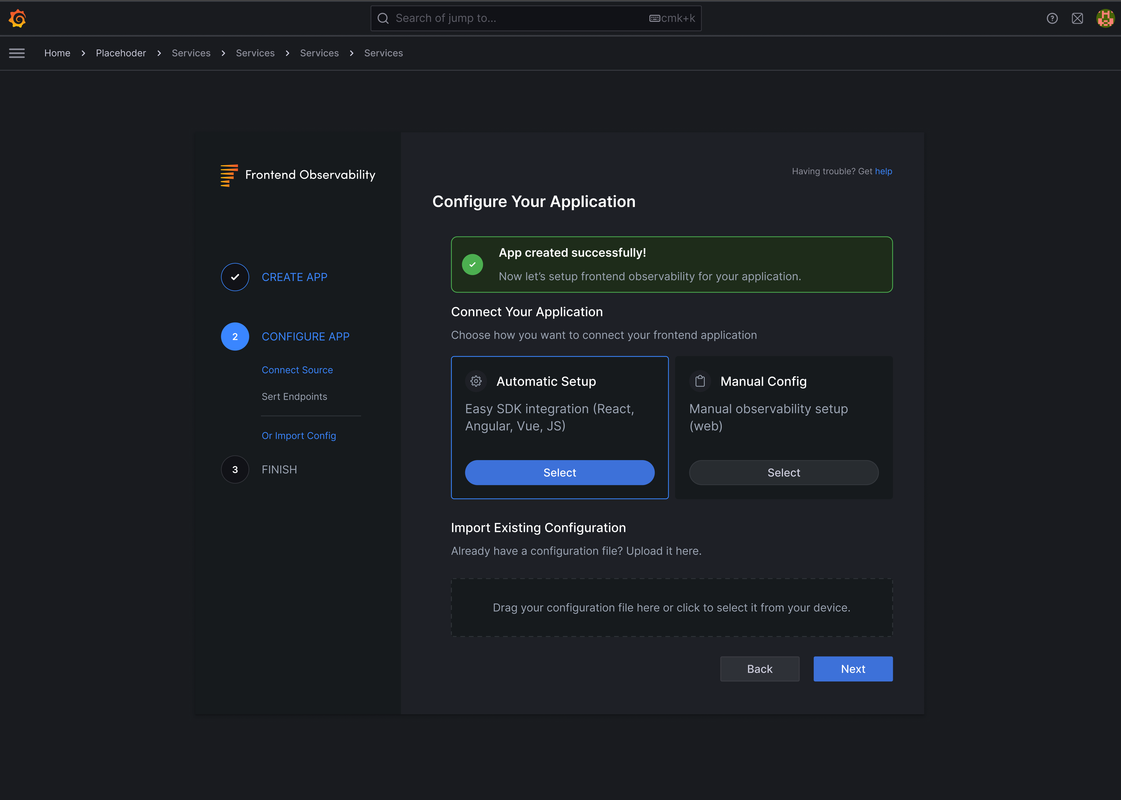
Name the app, choose automatic setup or the manual config, and copy the snippet written for your framework. The allowed domains are filled in for you.
The detailThe new app lives in a space.02
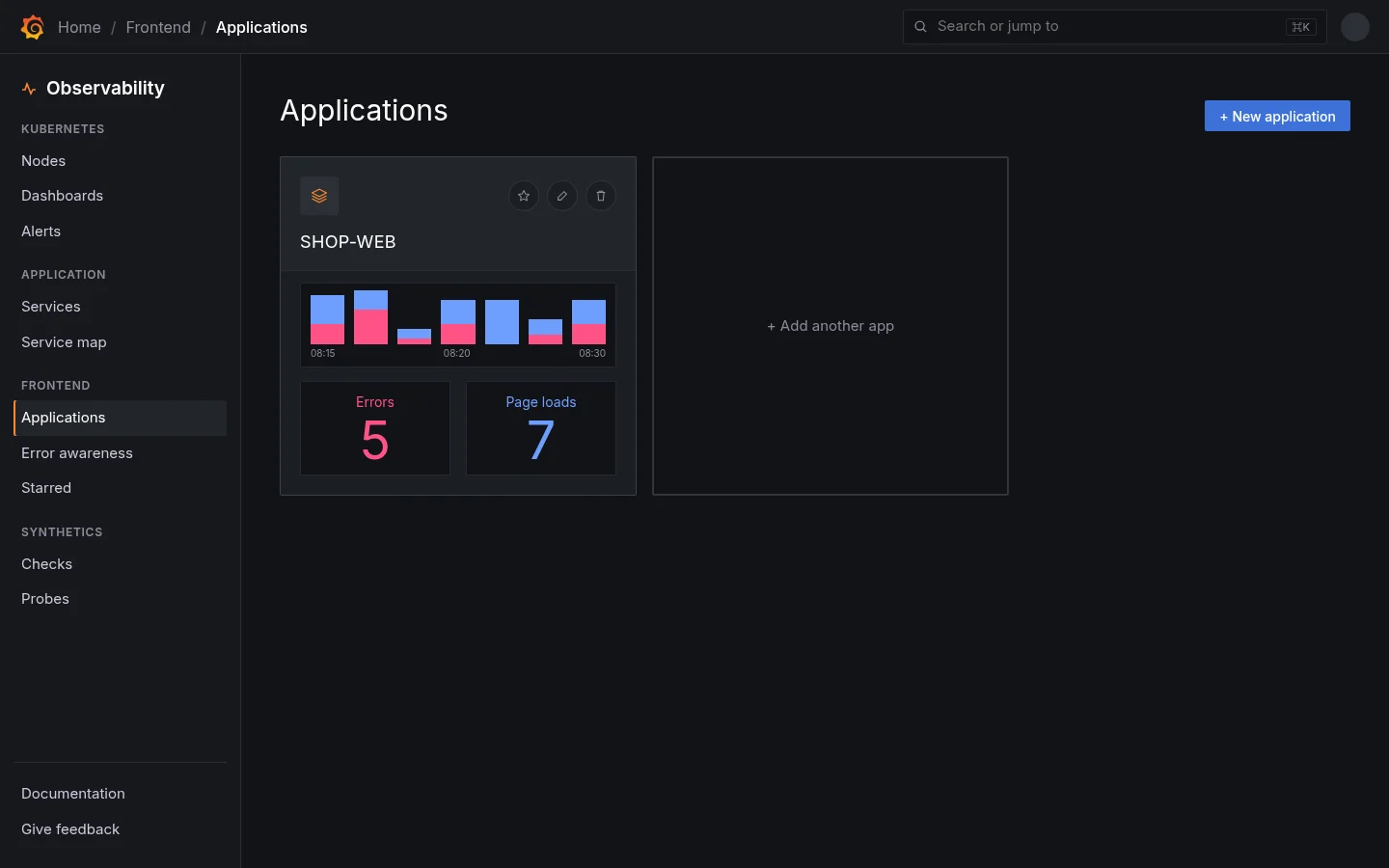
Finishing setup lands on Applications, where the app has a card with its first errors and page loads, not on an empty dashboard.
OverviewChapter 02 · Notes
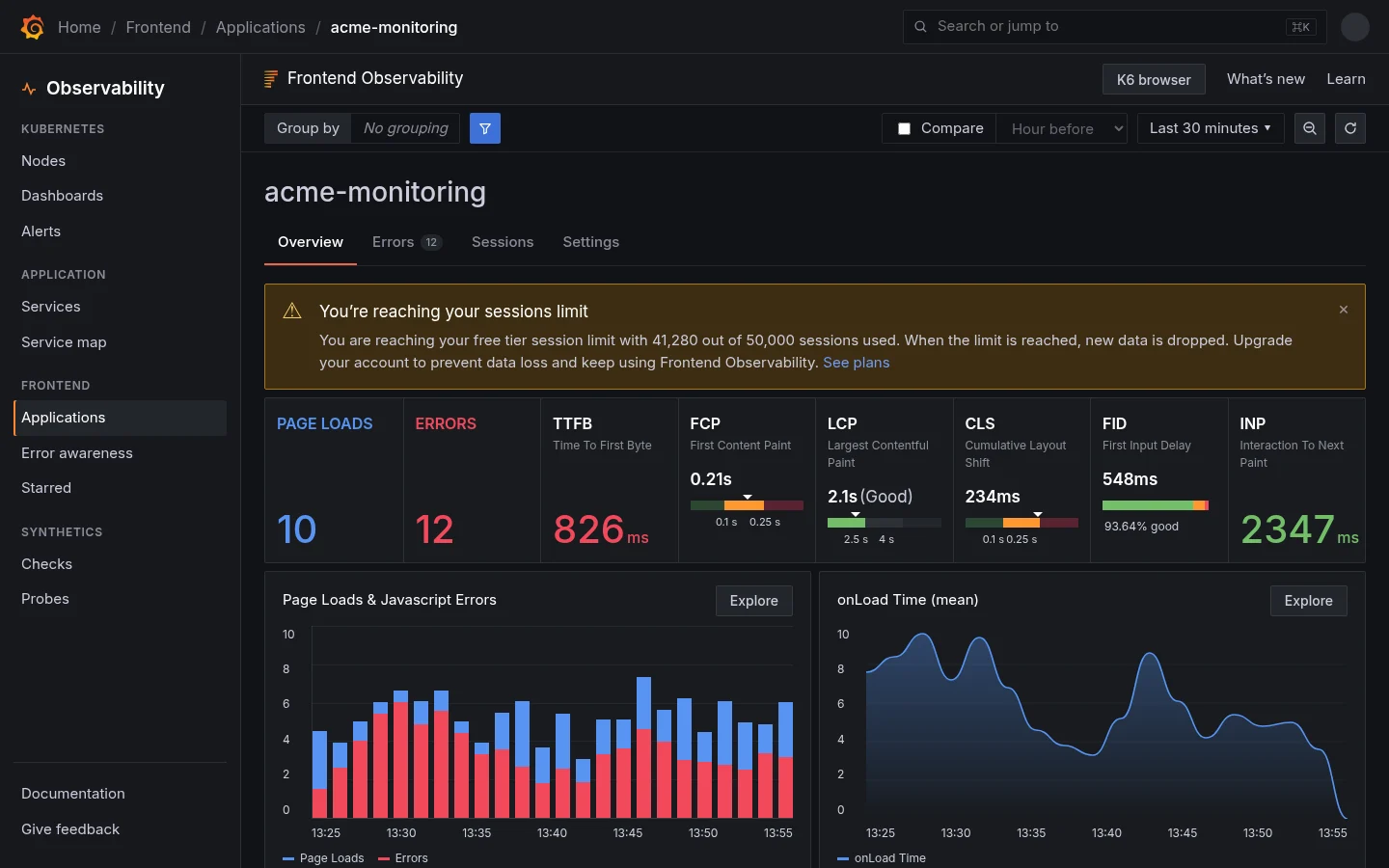
The decisionVitals with their thresholds, not just numbers.01
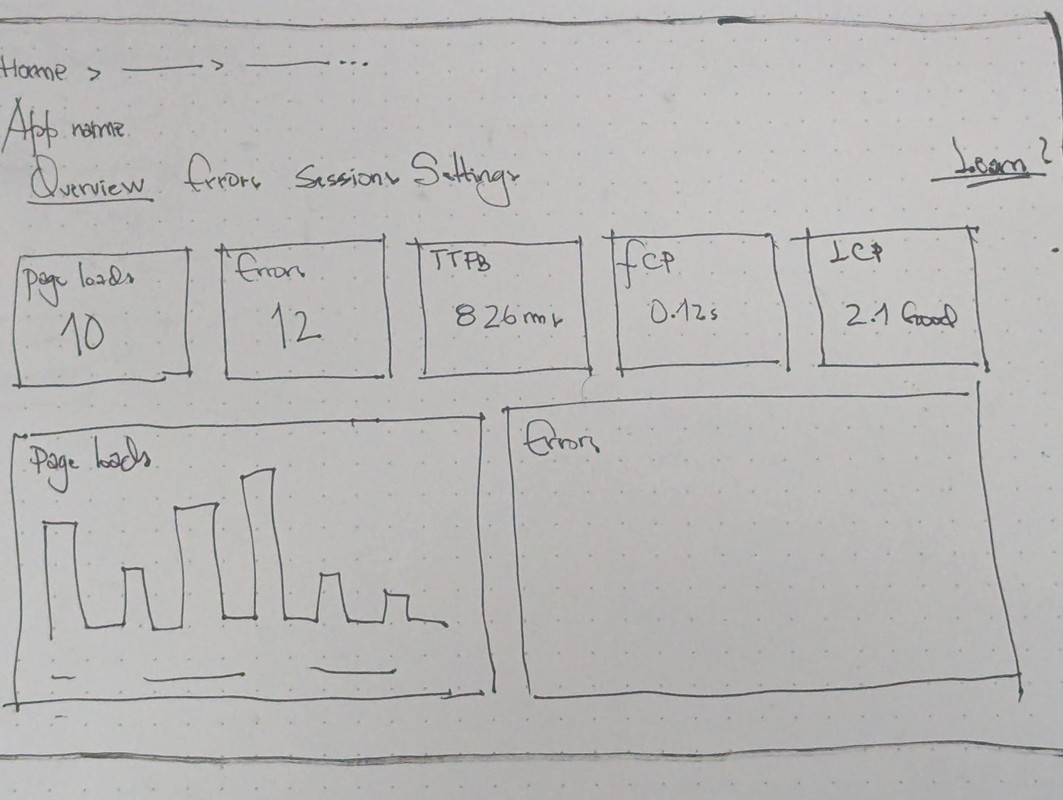
Each vital shows where it sits between good and poor, so 2.1 s LCP reads as Good without looking anything up.
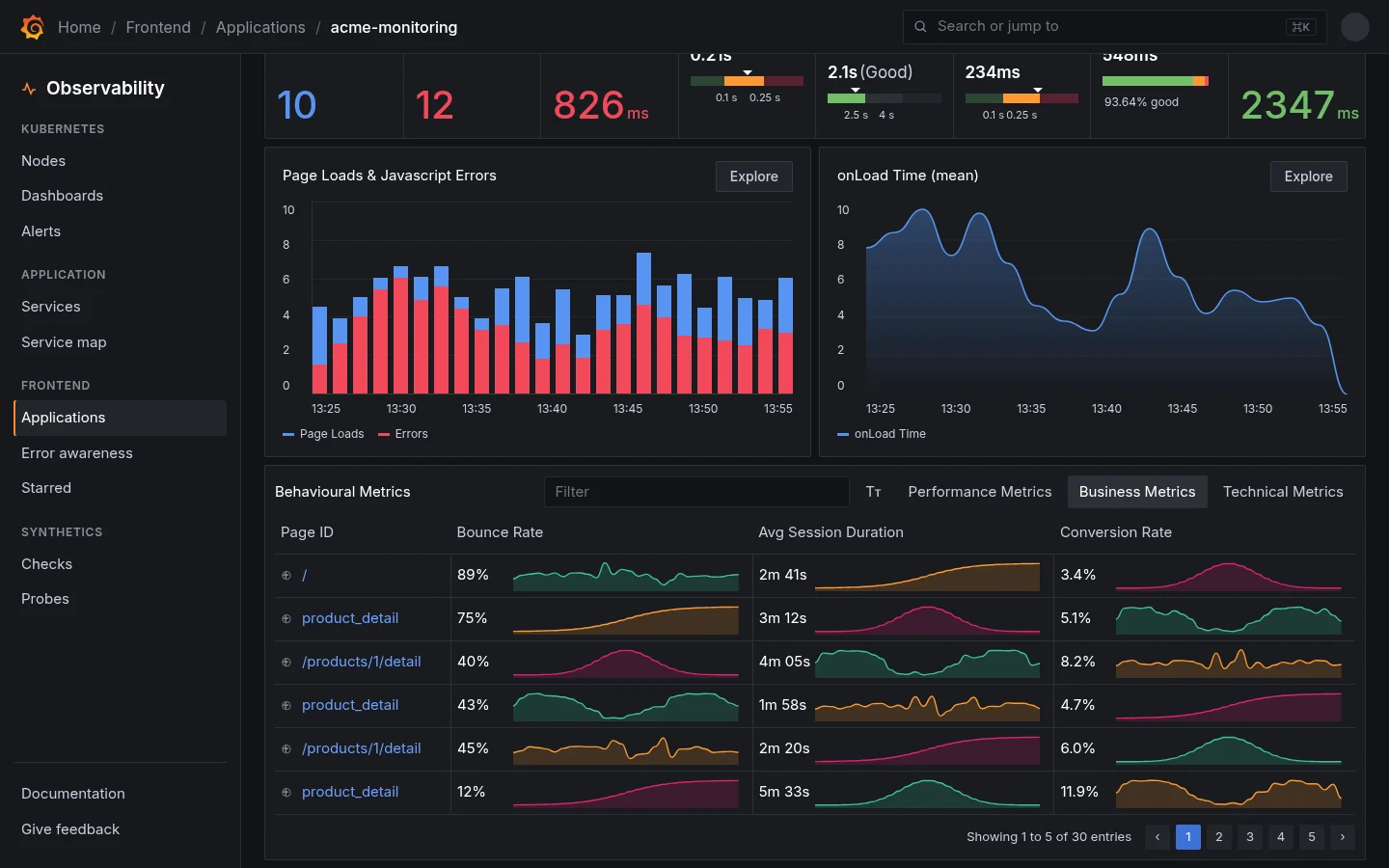
A pattern I brought inTabs inside a panel.02
Performance, business and technical metrics share one table. Grafana had no tabs inside a panel before this; I took the pattern from tools our users already worked in every day.
Errors and sessionsChapter 03 · Notes
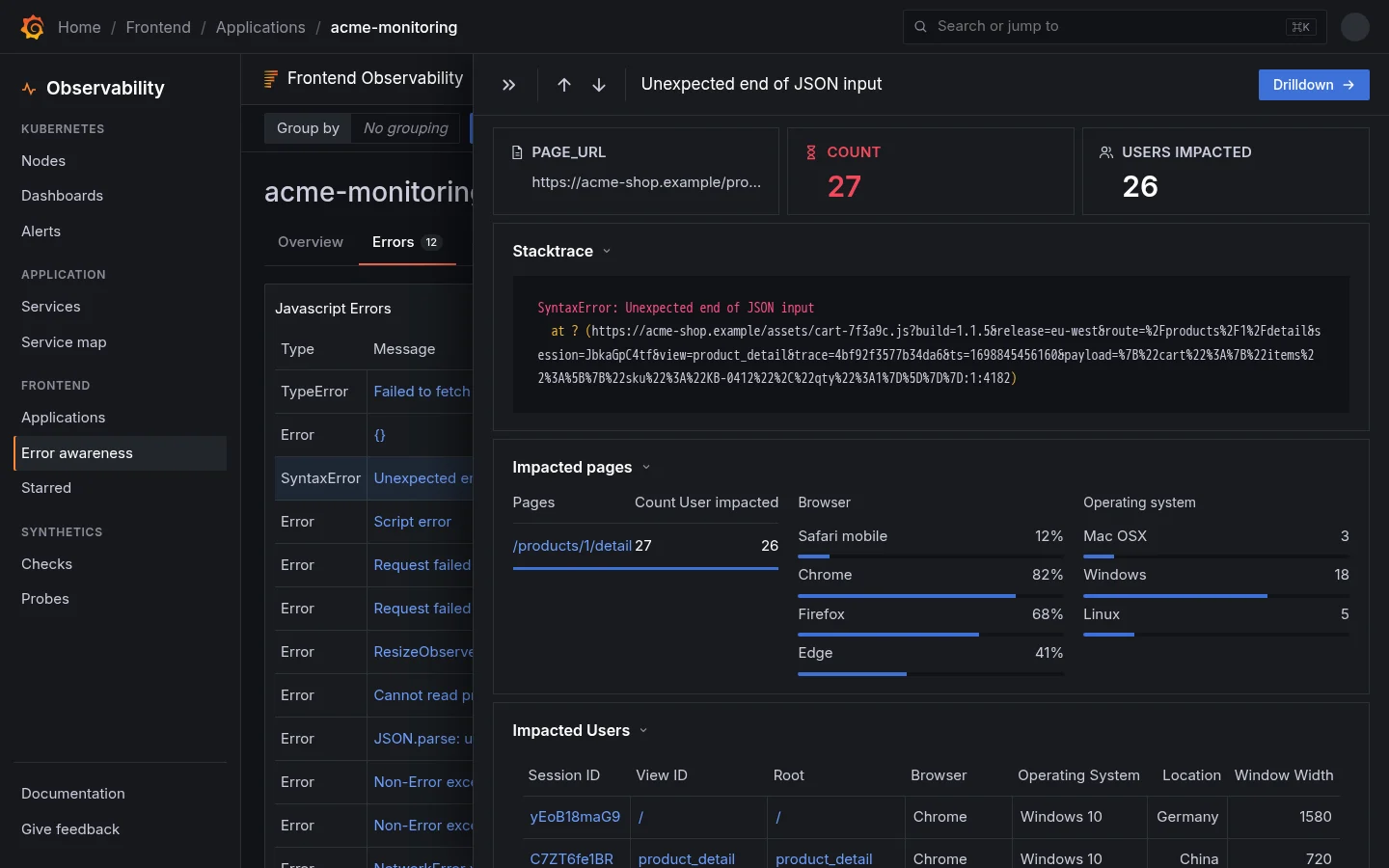
A pattern I brought inThe Flyout.01
Details beside the list, without a new page or a modal. I wrote its rules, when to use it and when not to, and gave it to the design system team.
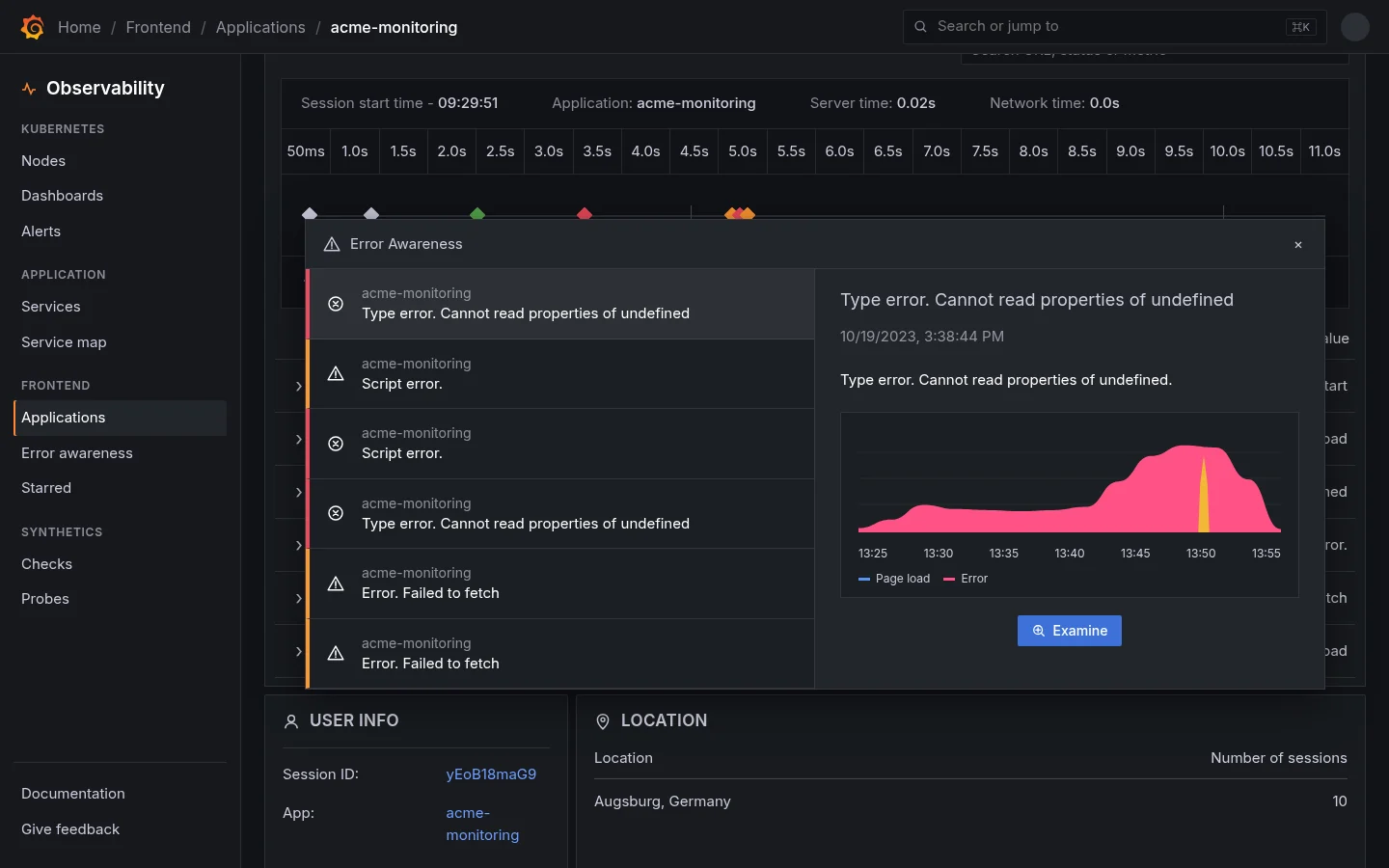
The detailA session, second by second.02
The timeline shows every event in a session. Hovering a cluster of errors opens Error Awareness, and Examine goes straight to the error.
I was the original designer of Grafana’s real user monitoring, from a hackathon project called Kowalski to GA. The goal: stand out next to Datadog and New Relic by making frontend data easy to act on.
Name the app, choose automatic setup or the manual config, and copy the snippet written for your framework. The allowed domains are filled in for you.
The detailThe new app lives in a space.
Finishing setup lands on Applications, where the app has a card with its first errors and page loads, not on an empty dashboard.
About the overview · Chapter 02
Every web vital, read at a glance.
grafana.com/cloud
The decisionVitals with their thresholds, not just numbers.
Each vital shows where it sits between good and poor, so 2.1 s LCP reads as Good without looking anything up.
A pattern I brought inTabs inside a panel.
Performance, business and technical metrics share one table. Grafana had no tabs inside a panel before this; I took the pattern from tools our users already worked in every day.
About errors and sessions · Chapter 03
From an error to the person who hit it.
grafana.com/cloud
A pattern I brought inThe Flyout.
Details beside the list, without a new page or a modal. I wrote its rules, when to use it and when not to, and gave it to the design system team.
The detailA session, second by second.
The timeline shows every event in a session. Hovering a cluster of errors opens Error Awareness, and Examine goes straight to the error.
What shipped
Real user monitoring, from hackathon to GA.
It started as Kowalski, a hackathon prototype. The sample app in my files is still called Kowalski-baby.
SetupThree steps, with the snippet written for your framework
OverviewWeb vitals with thresholds, errors and page performance on one page
The FlyoutA new design system component for details beside a list
SessionsEvery event in a user’s session on one timeline
How I got thereThe market, sketches, iterations, the design system
The market
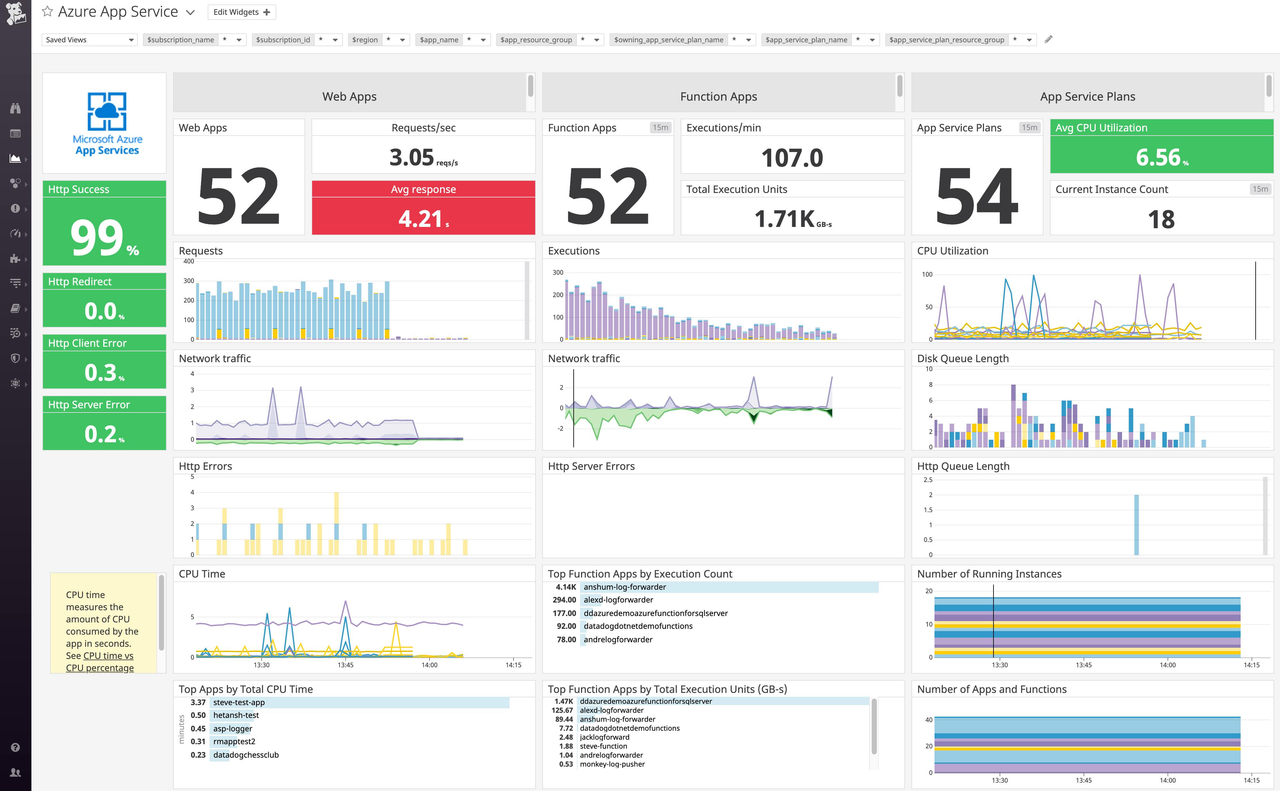
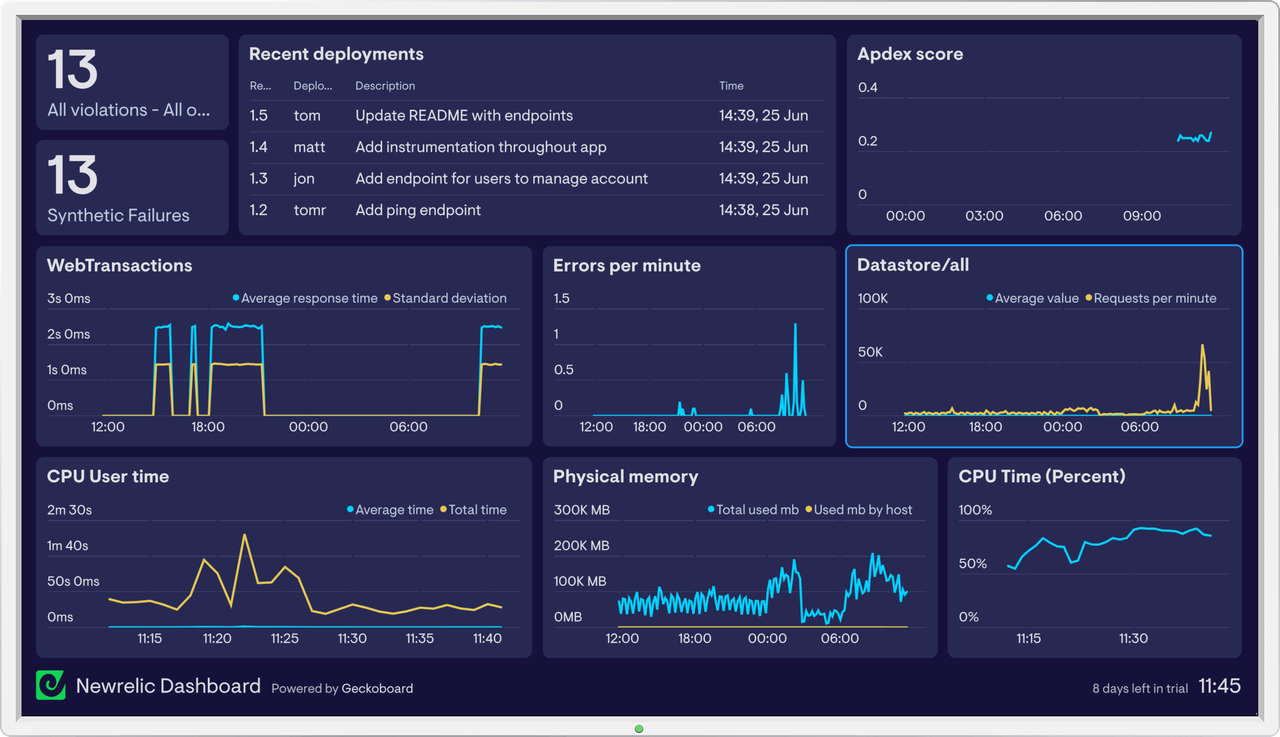
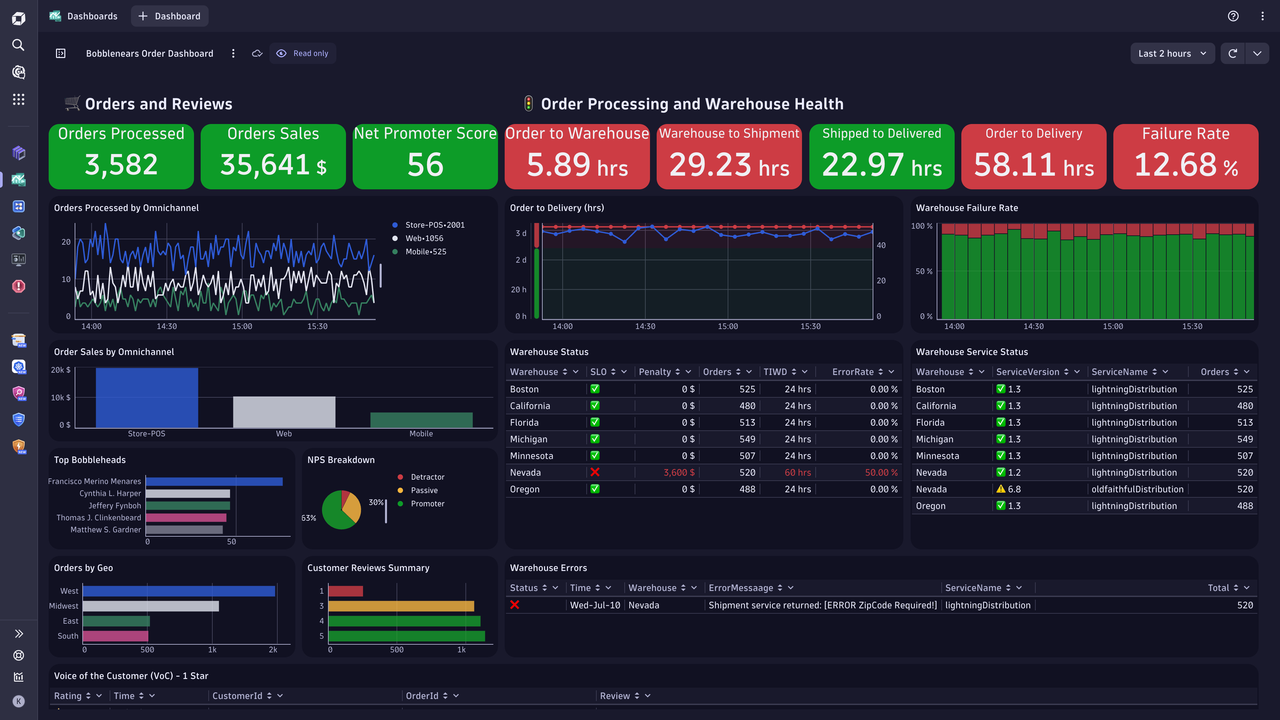
Most large companies already used Datadog or New Relic. To stand out, our tool had to simplify complex data while still giving actionable insights.
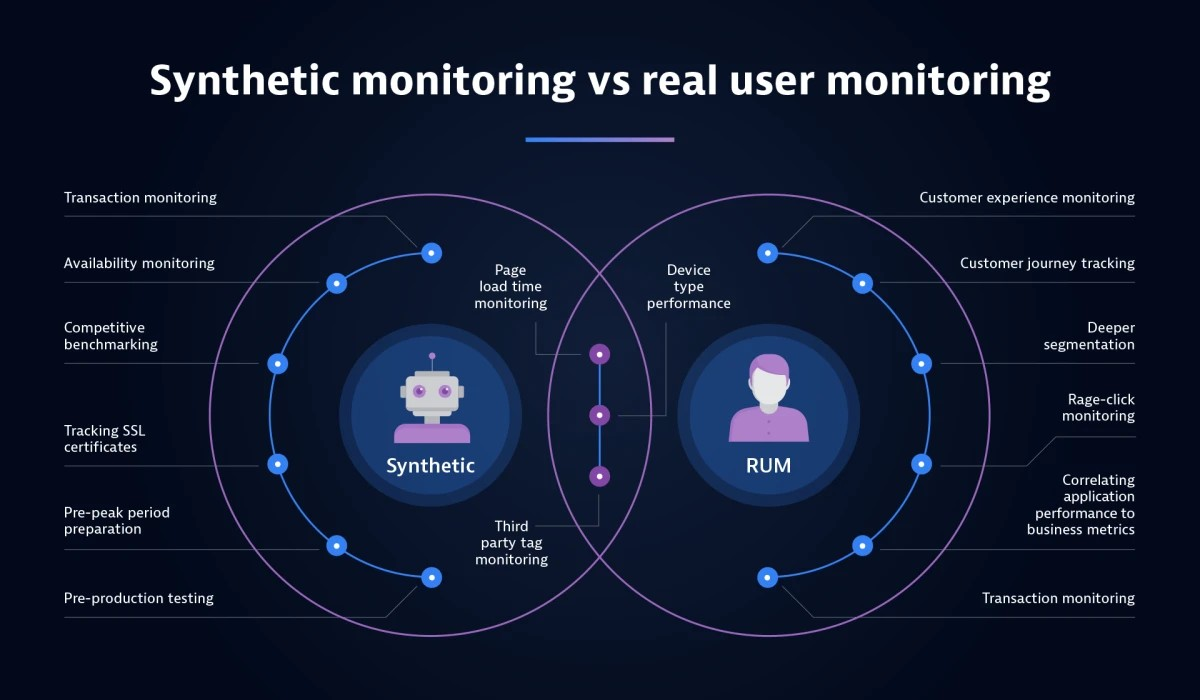
DatadogNew RelicDynatraceSynthetic monitoring vs RUM
Patterns users already trust
On a new product I bring in patterns the design system doesn’t have yet, but that our users already know from tools that have done them well for years. Tabs inside a panel and the Flyout both came from there. A design system team can’t know the day-to-day of every field, so I bring the pattern in, build it properly with its rules, and hand it back.
ClarityCommunicate complex data clearly.
ConsistencyThe same layout and structure everywhere, to reduce confusion.
UsabilityEasy to use, even for people who aren’t experts in data analysis.
Familiar patternsBring in what users already trust from the tools they know.
From sketches to systems
I drew on video game interfaces and IDEs like VS Code and IntelliJ, where dense information stays easy to read. Our users, developers, product managers and IT teams, spend hours monitoring and troubleshooting.
SketchesFiltersOnboardingLayouts
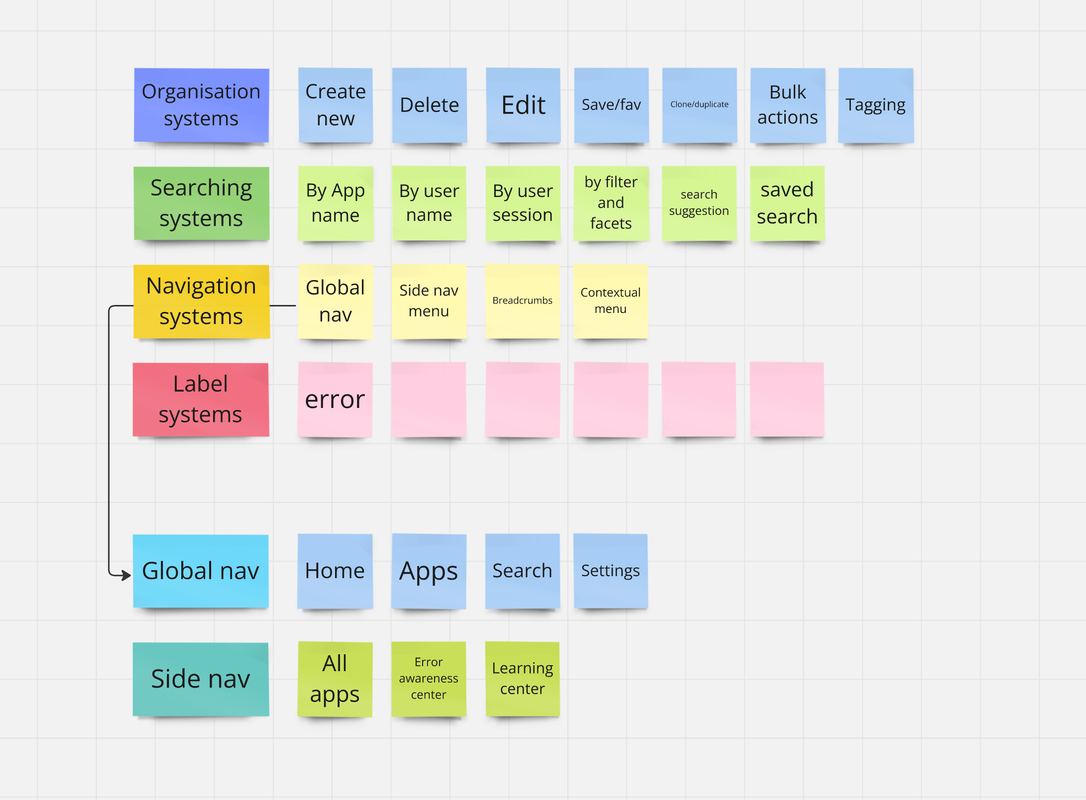
Information architecture, mapped together with the team
Ship, learn, iterate
High-fidelity prototypes showed product managers and engineers what was certain and what wasn’t. I split my time between designing and learning OpenTelemetry and our Faro web SDK, which built trust with the engineers.